
Remote Access
Manage secure VPN access to your POS from anywhere.
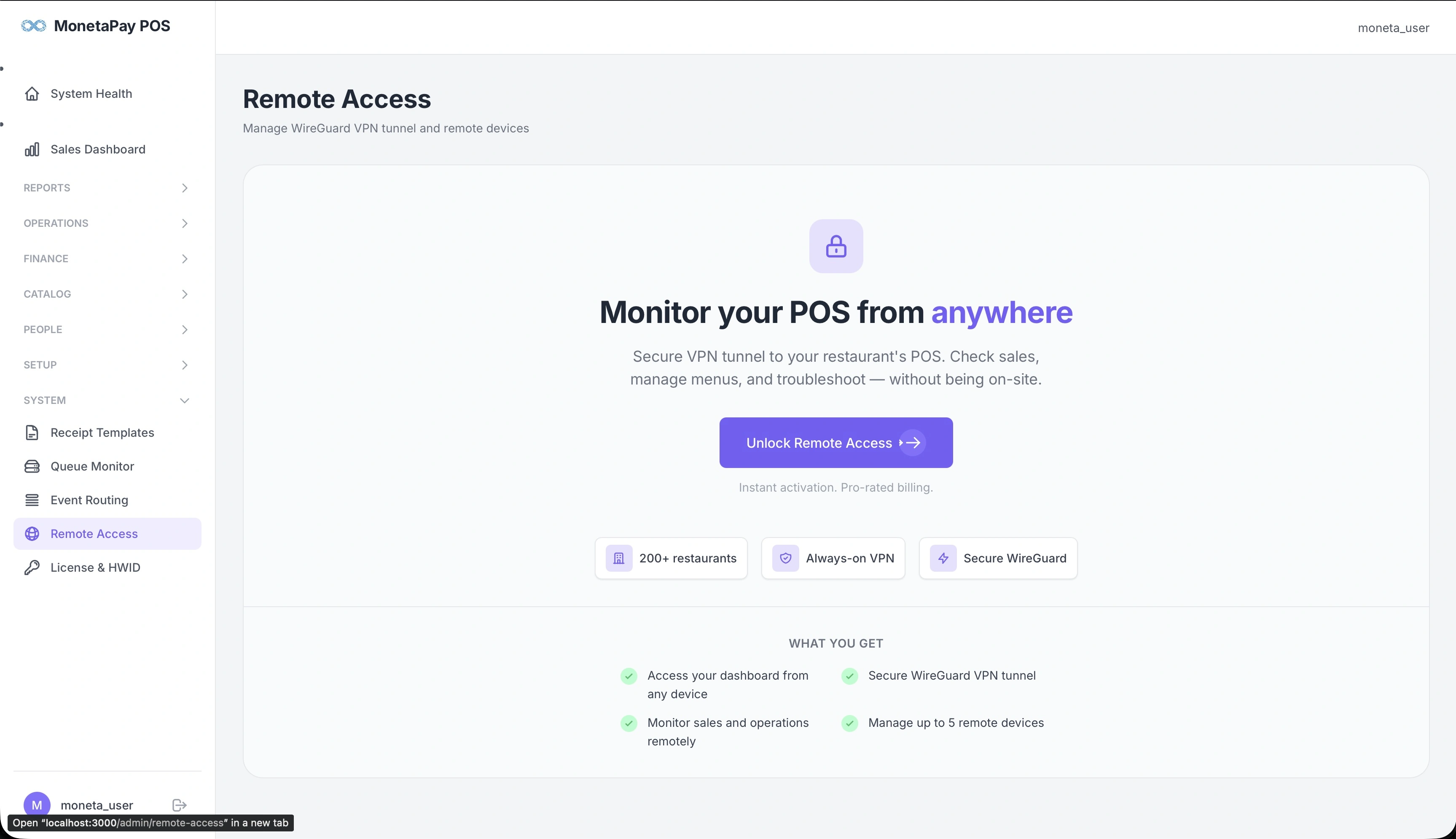
Overview
Remote Access provides a secure VPN tunnel to your restaurant's POS server, allowing you to monitor sales, manage menus, and troubleshoot from anywhere — without being physically on-site.
This is a licensed add-on feature. If not yet activated, this page shows an overview of what you get and a button to unlock it.
What You Get
- Access your dashboard from any device — phone, laptop, or tablet
- Monitor sales and operations remotely — check daily performance from home
- Secure WireGuard VPN tunnel — industry-standard encrypted connection
- Manage up to 5 remote devices — connect your phone, laptop, and auditor's device
How It Works
Once activated:
- Register your POS server with the Moneta Pay network (one-time setup)
- Add devices — generate QR codes that you scan with WireGuard on your phone or laptop
- Connect — activate the VPN on your device to access your dashboard remotely
- Access your dashboard at your private address (e.g.,
your-restaurant.wg.moneta-pay.app)
Dashboard Controls (when activated)
- Register — connect to the VPN network (one-time)
- Toggle — start/stop the VPN tunnel
- Add Device — generate QR codes for new devices
- Status — view tunnel health, handshake times, and data transfer stats
TIP
Remote Access requires the feature to be included in your license. Visit the Moneta Pay Portal to add it to your plan. Activation is instant with pro-rated billing.