
Expenses
View and manage all expense records with full details.
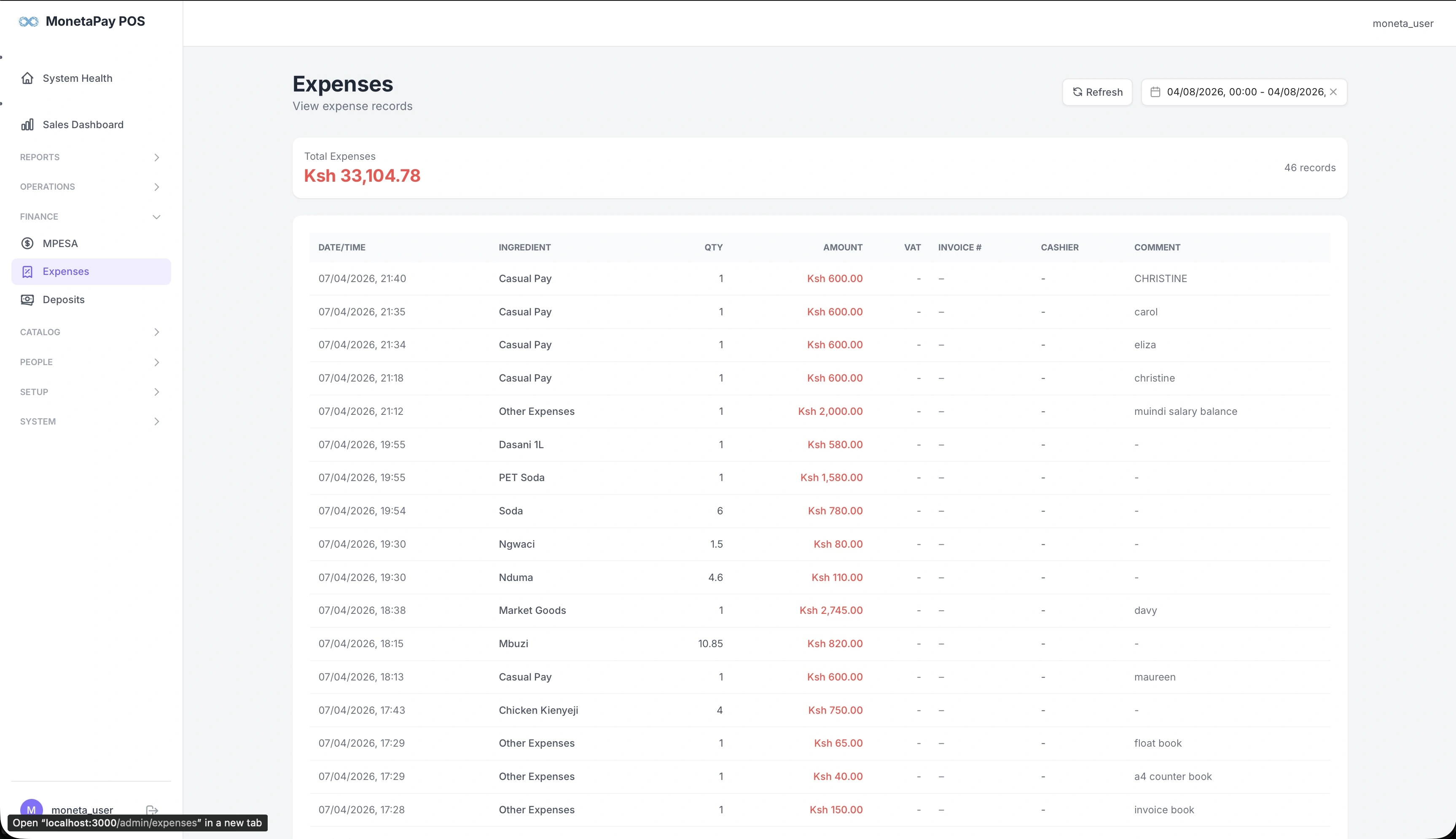
Overview
The Expenses page shows every expense recorded through the POS — from ingredient purchases to staff payments. Each entry includes the ingredient or expense type, quantity, amount, and who recorded it.
Use this page to:
- Review all expenses for a given period
- Verify expense amounts and quantities
- Check which cashier recorded each expense
- Track invoice numbers for supplier payments
- Monitor daily spending patterns
What You'll See
Summary
A total expenses card at the top shows the sum and record count for the selected date range.
Expenses Table
| Column | Description |
|---|---|
| Date/Time | When the expense was recorded |
| Ingredient | What was purchased or the expense type |
| Qty | Quantity |
| Amount | Cost per unit |
| VAT | VAT amount if applicable |
| Invoice # | Supplier invoice reference |
| Cashier | Who recorded the expense |
| Comment | Additional notes |
Expenses are entered directly on the POS terminal during operations. This page provides a read-only view for review and auditing.
TIP
For expense analysis with category breakdowns and totals, see Financial Analysis and Expense Analysis in the Reports section.