
MPESA Transactions
View unclaimed M-PESA payments and manage mobile money reconciliation.
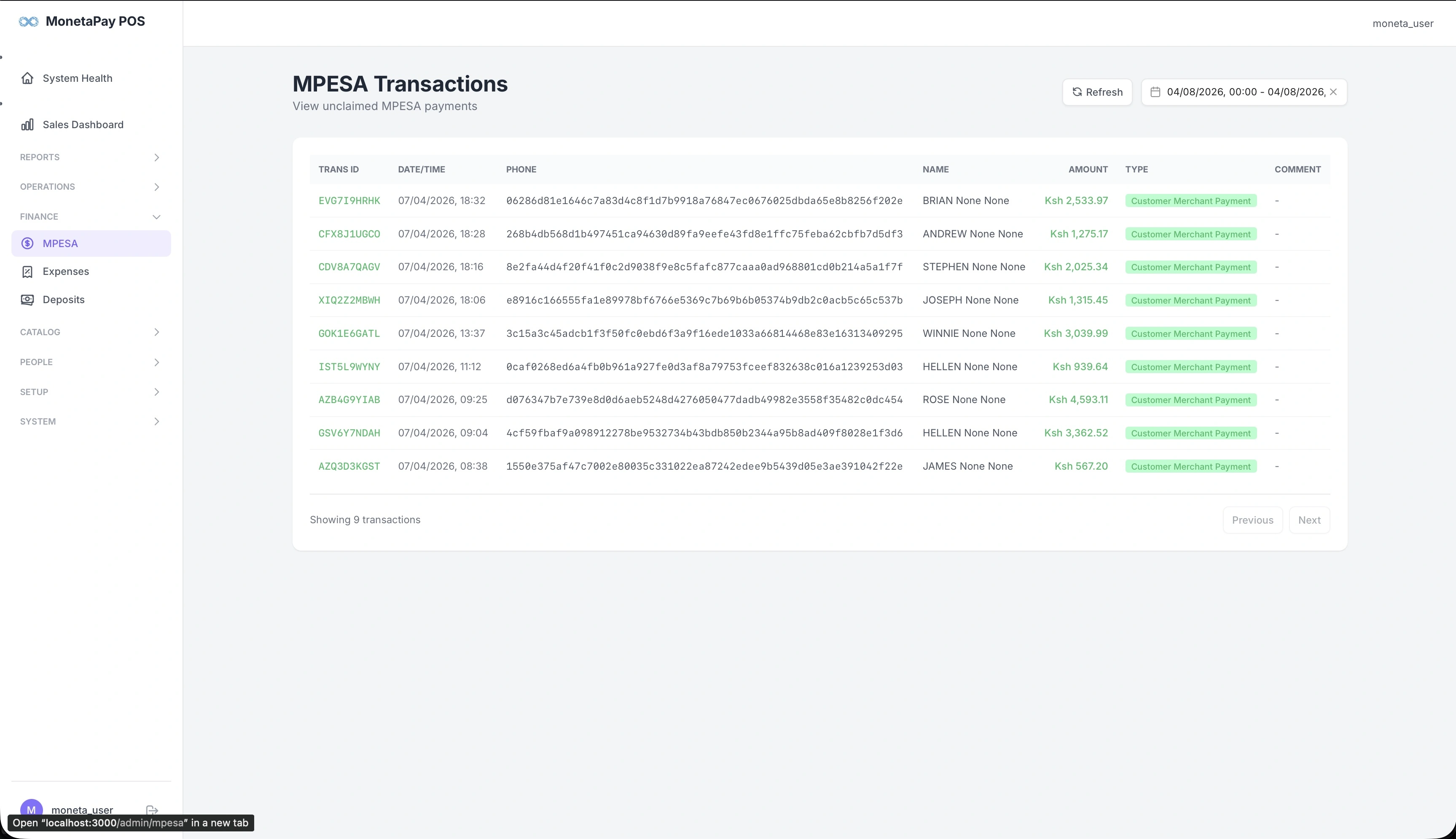
Overview
This page shows M-PESA payments received on your till number. It focuses on helping you reconcile mobile money — particularly unclaimed payments that haven't been matched to an order yet.
Use this page to:
- View all M-PESA transactions for a given date range
- Identify unclaimed payments that need manual matching
- Look up a specific transaction by ID or customer name
- Verify payment amounts and customer details
TIP
For a summary view of M-PESA alongside cash and credit, see Payments in the Reports section.
What You'll See
Transactions Table
| Column | Description |
|---|---|
| Trans ID | M-PESA transaction reference code |
| Date/Time | When the payment was received |
| Phone | Customer's phone number |
| Name | Customer name from M-PESA |
| Amount | Payment amount in KES |
| Type | Payment type (e.g., Customer Merchant Payment) |
| Comment | Any additional notes |
The table is paginated — use Previous and Next to navigate through transactions.
Reconciliation
Unclaimed M-PESA payments are those received on your till but not yet matched to an order in the POS. Common reasons:
- Customer paid before the order was entered
- Phone number doesn't auto-match
- Payment was for a different service
These payments can be claimed from the POS terminal when processing the customer's order.