
Users
Manage dashboard login accounts, roles, and access permissions.
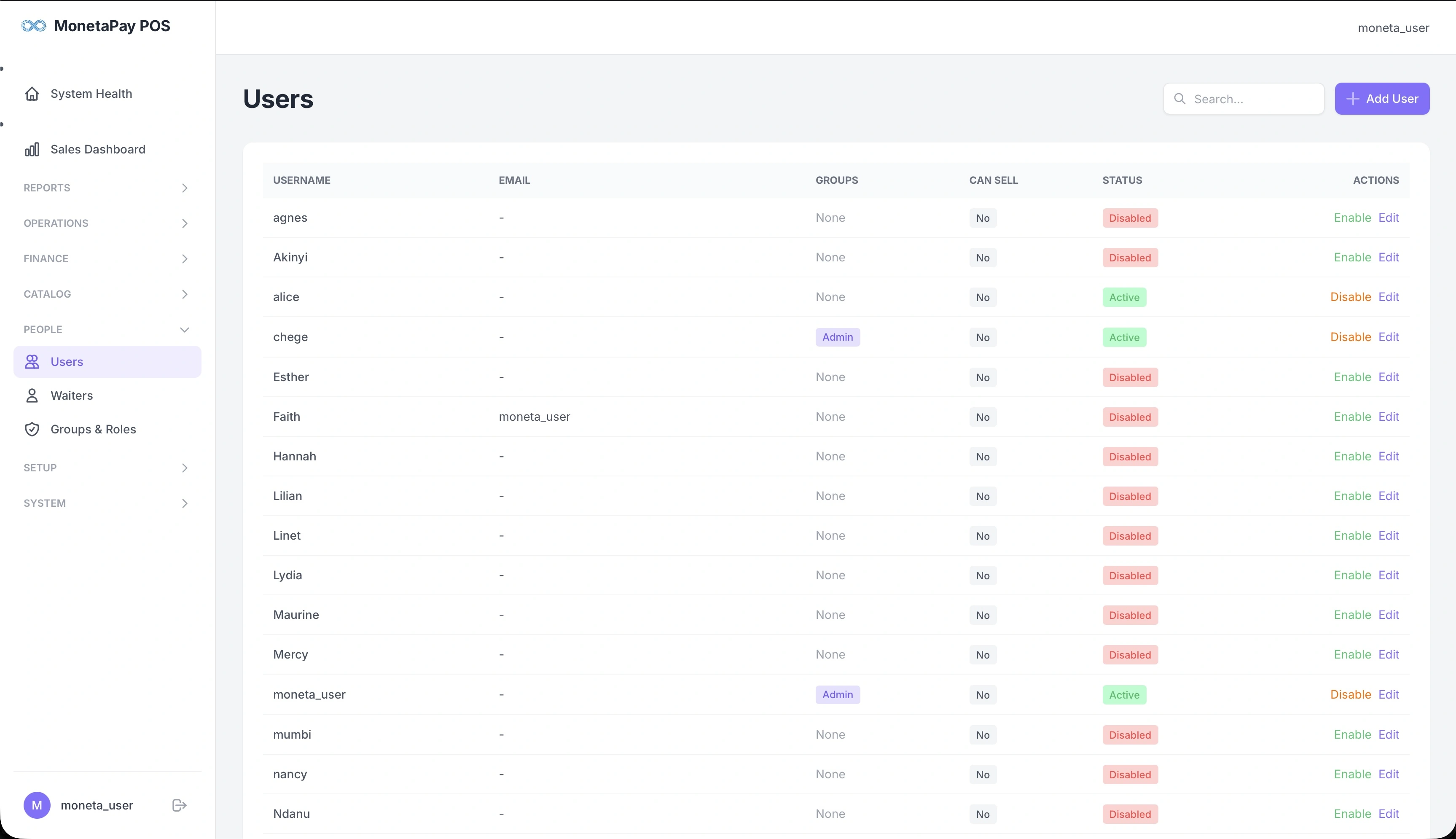
Overview
Users are the people who log in to the dashboard and POS system. Each user has a username, optional email, group membership (which controls permissions), and an active/disabled status.
Use this page to:
- Add new user accounts
- Assign users to groups (Admin, Operator, Cashier)
- Enable or disable user accounts
- Control who can sell (take orders on the POS)
TIP
This page is available to Admin users only.
What You'll See
Users Table
| Column | Description |
|---|---|
| Username | Login name |
| Email address (optional) | |
| Groups | Assigned permission group (Admin, Operator, Cashier, or None) |
| Can Sell | Whether this user can take orders on the POS (Yes/No) |
| Status | Active (green) or Disabled (red) |
| Actions | Enable/Disable and Edit |
Adding Users
Click + Add User to create a new account. You'll set the username, password, email, and group membership.
Groups & Permissions
User permissions are controlled by group membership:
| Group | Dashboard Access | POS Access |
|---|---|---|
| Admin | Full access to all pages | Full POS access |
| Operator | Reports, operations, catalog, people, setup | POS access |
| Cashier | Limited report access | POS access |
| None | No dashboard access | Depends on "Can Sell" setting |
For detailed group and role management, see Groups & Roles.
WARNING
Disabling a user immediately revokes their access. They will be logged out of the dashboard and POS on their next action.