
Campaign Analysis
Search for any menu item and see exactly which waiters sold it and how much.
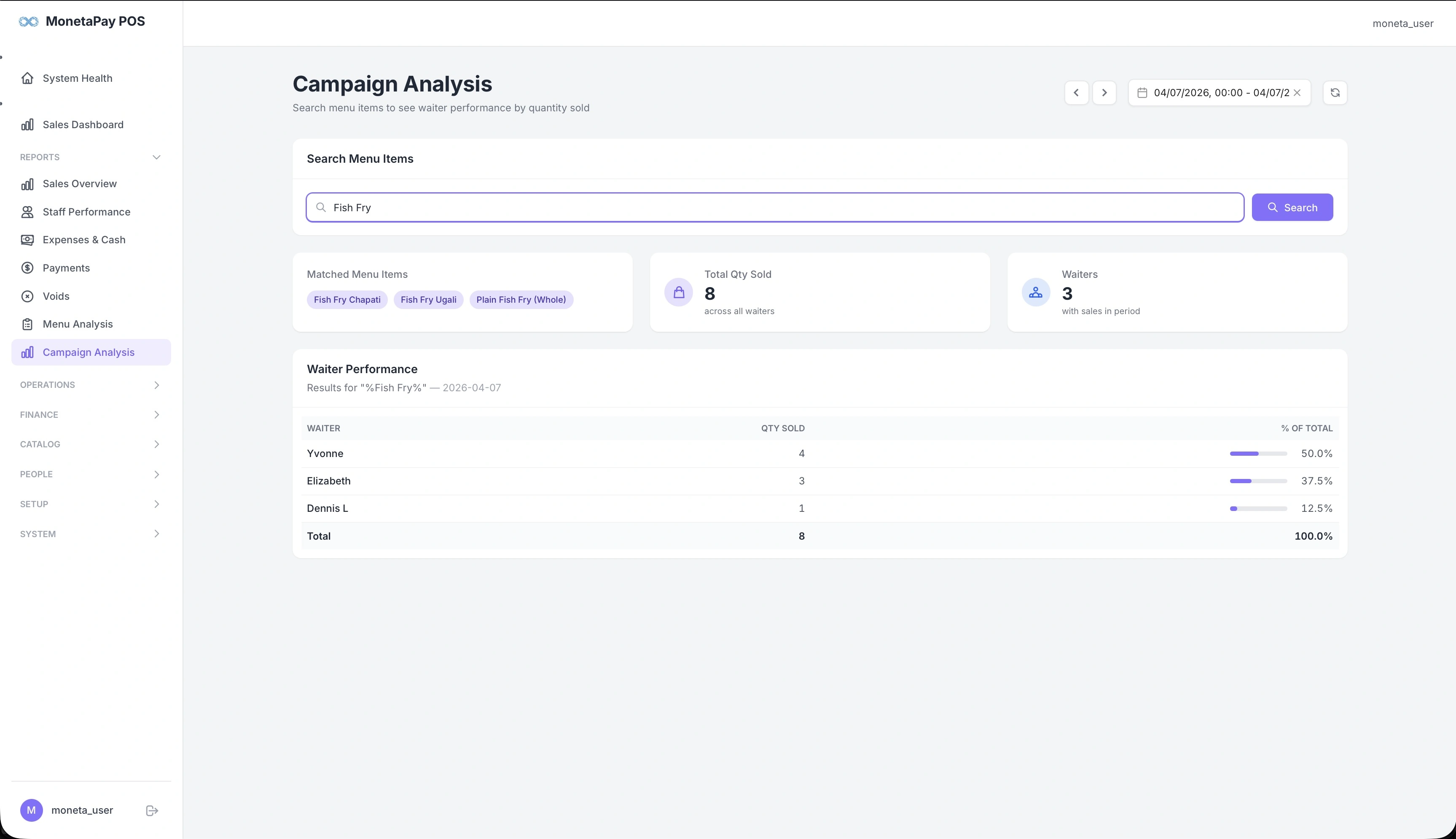
Overview
Campaign Analysis lets you investigate the sales performance of specific menu items across your team. Type in an item name (or partial name), and the system finds all matching items and shows which waiters sold them and in what quantities.
This is especially useful when you:
- Run a promotion on a specific item and want to see who's pushing it
- Want to track a new menu item's adoption across your team
- Need to identify which waiters are selling a high-value item
- Want to compare waiter performance on a specific product
How To Use It
1. Search for a Menu Item
Type a menu item name (or part of a name) into the search box and click Search. For example, typing "Fish Fry" will match all menu items containing those words.
2. Review Matched Items
The Matched Menu Items section shows which items matched your search as tags (e.g., "Fish Fry Chapati", "Fish Fry Ugali", "Plain Fish Fry (Whole)"). This confirms which items are included in the results.
3. Review Results
Three info cards summarize the results:
| Card | What It Shows |
|---|---|
| Matched Menu Items | Tags showing which items matched your search |
| Total Qty Sold | Total units sold across all waiters for the matched items |
| Waiters | Number of waiters who sold the matched items in the selected period |
4. Waiter Performance Table
The main results table shows each waiter's contribution:
| Column | Description |
|---|---|
| Waiter | Staff member name |
| Qty Sold | How many units they sold |
| % of Total | Visual bar showing their share of total sales for this item |
The table is sorted by quantity (highest first) with a total row at the bottom.
TIP
Use Campaign Analysis alongside promotions. If you're running a "Fish Fry Friday" special, search for "Fish Fry" on Saturday to see which waiters drove the most sales.