
License & Hardware
View your license status, licensed features, capacity limits, and hardware information.
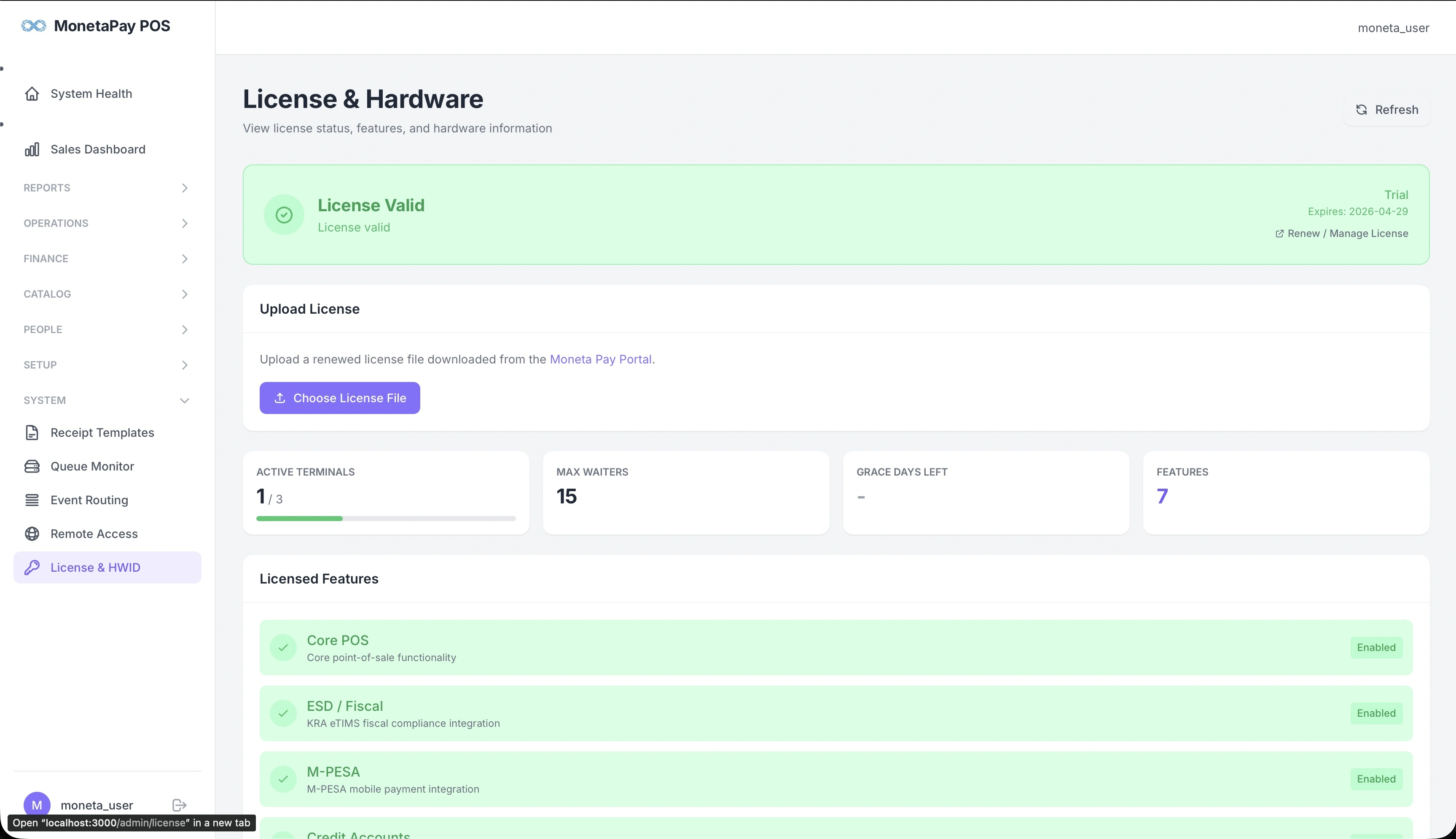
Overview
This page shows everything about your Moneta Pay POS license — whether it's valid, when it expires, what features are included, and how many terminals and waiters you're allowed.
Use this page to:
- Check your license status and expiry date
- Upload a renewed license file
- See which features are enabled
- View capacity limits (terminals, waiters)
- Copy your Hardware ID for support or license requests
What You'll See
License Status Banner
A prominent banner at the top showing:
- Status — License Valid (green), Grace Period (amber), or Expired (red)
- License type — Trial or Paid
- Expiry date — when the license expires
- Renew / Manage License — link to the Moneta Pay Portal
Upload License
Upload a renewed license file downloaded from the Moneta Pay Portal. Click Choose License File to select and upload. The server validates and applies the new license immediately — no restart needed.
Capacity Cards
| Card | What It Shows |
|---|---|
| Active Terminals | Current connected terminals vs maximum allowed (e.g., 1 / 3) |
| Max Waiters | Maximum number of active waiters your license allows |
| Grace Days Left | Days remaining in the grace period after expiry (if applicable) |
| Features | Total number of licensed features |
Licensed Features
A list showing each feature and its status:
| Feature | Description |
|---|---|
| Core POS | Core point-of-sale functionality |
| ESD / Fiscal | Tax authority fiscal compliance |
| M-PESA | Mobile money payment integration |
| Analytics | Full dashboard analytics and reporting |
| Smart Stock Engine | Ingredient consumption tracking |
| Remote Access | WireGuard VPN for remote management |
| Unlimited Printers | No limit on connected printers |
| CCTV Overlay | Camera feed integration |
| Multi-Branch | Multi-location management |
| Backup | Automated data backup |
| Market Intelligence | Competitive insights |
Each feature shows Enabled (green) if included in your license. Features not included can be unlocked via the portal.
Hardware Information
The Hardware ID is a unique fingerprint of your server. It's used to bind licenses to specific hardware, preventing unauthorized copying. Use the copy button to copy it when requesting support or a hardware-locked license.
TIP
If your license shows Grace status, you have a limited number of days to renew before the system enters restricted mode. Renew promptly from the Moneta Pay Portal.