
Orders
Search and view your full order history with filtering, reprinting, and void capabilities.
Overview
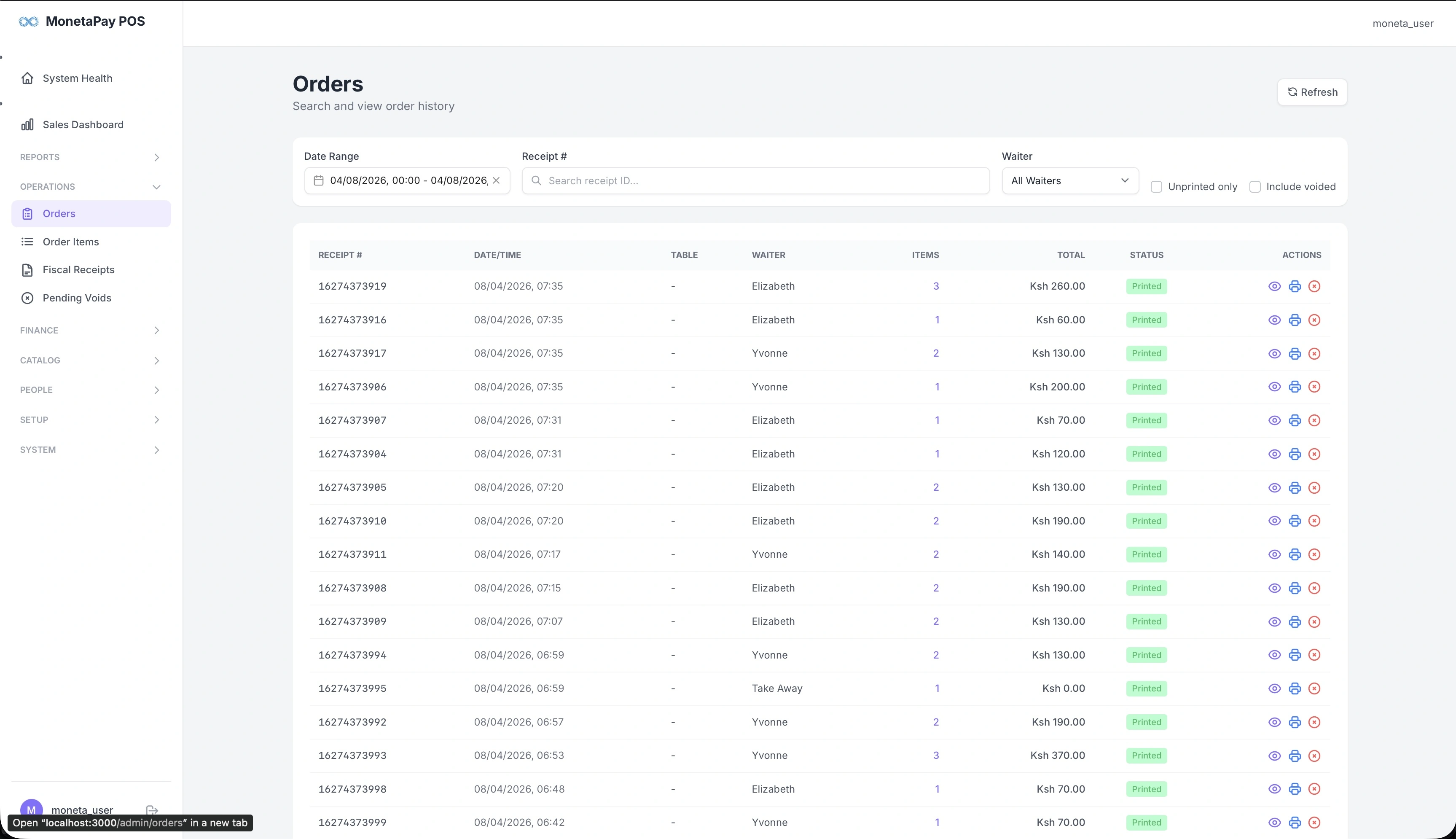
The Orders page is your complete order ledger. Every order placed through the POS appears here with its receipt number, waiter, items, total, and current status. You can search by receipt number, filter by waiter, and drill into any order to see its full details.
Use this page to:
- Look up a specific order by receipt number
- Review all orders for a particular waiter
- Reprint a customer receipt or kitchen ticket
- Propose a void for an incorrect order
- Check whether orders have been printed
What You'll See
Filters
| Filter | Description |
|---|---|
| Date Range | Select the time period to view |
| Receipt # | Search for a specific receipt number |
| Waiter | Filter by a specific waiter or view all |
| Unprinted only | Show only orders that haven't been printed |
| Include voided | Include cancelled orders in the list |
Orders Table
| Column | Description |
|---|---|
| Receipt # | Unique order identifier |
| Date/Time | When the order was placed |
| Table | Table number (if assigned) |
| Waiter | Who took the order |
| Items | Number of items in the order |
| Total | Order total in KES |
| Status | Printed (green), Voided, or Pending |
| Actions | View details, reprint, or propose void |
Order Detail Dialog
Click any order to open a detail view showing:
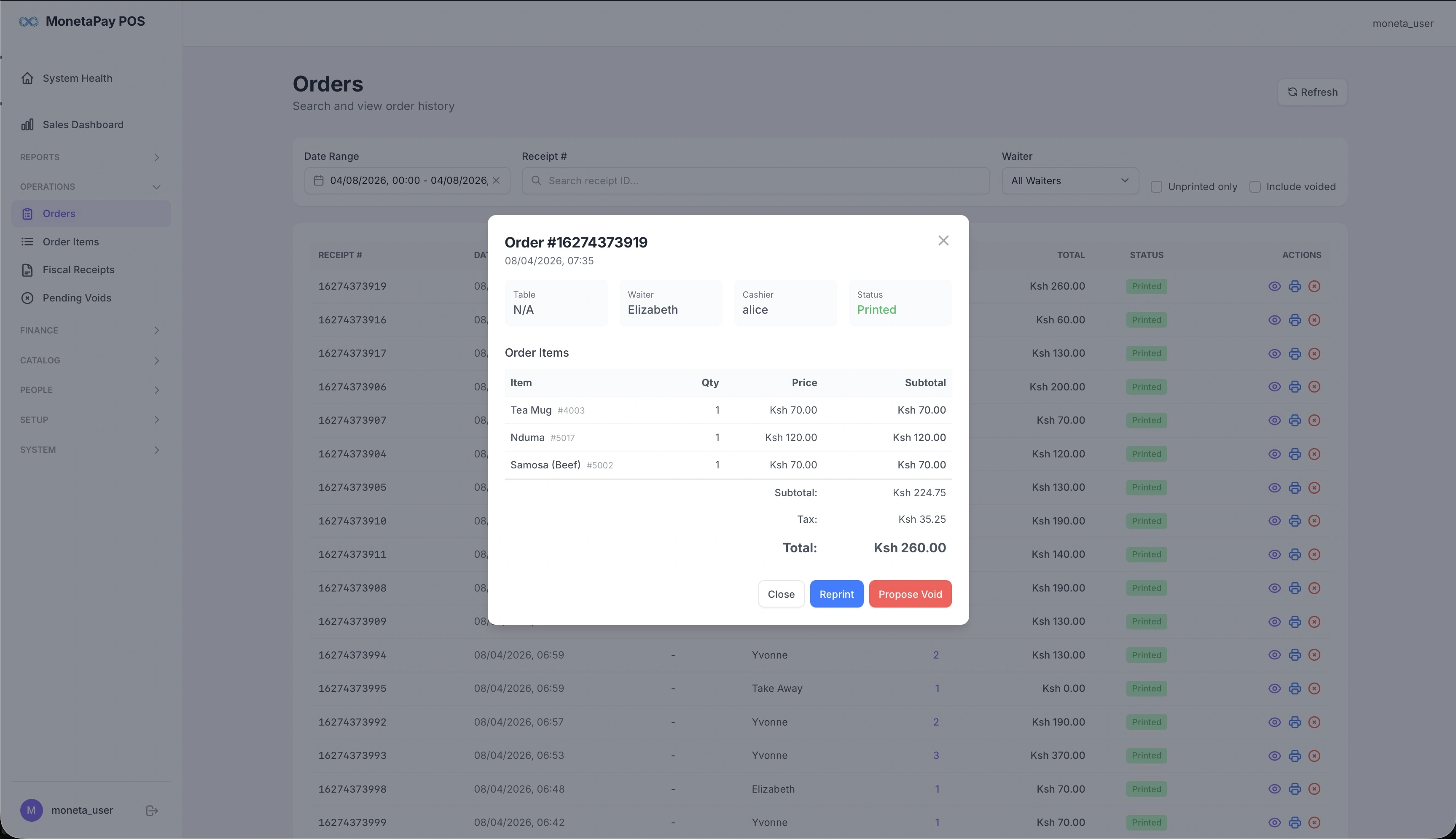
- Order header — receipt number, date/time, table, waiter, cashier, and status
- Line items — each item with quantity, price, and subtotal
- Totals — subtotal, tax breakdown, and grand total
- Actions — Close, Reprint, or Propose Void
TIP
Use the Reprint button to send a duplicate receipt to the printer — useful when a customer needs a replacement or when the original print failed.