
Tax Rules
Configure VAT, levies, and other tax rules for your jurisdiction.
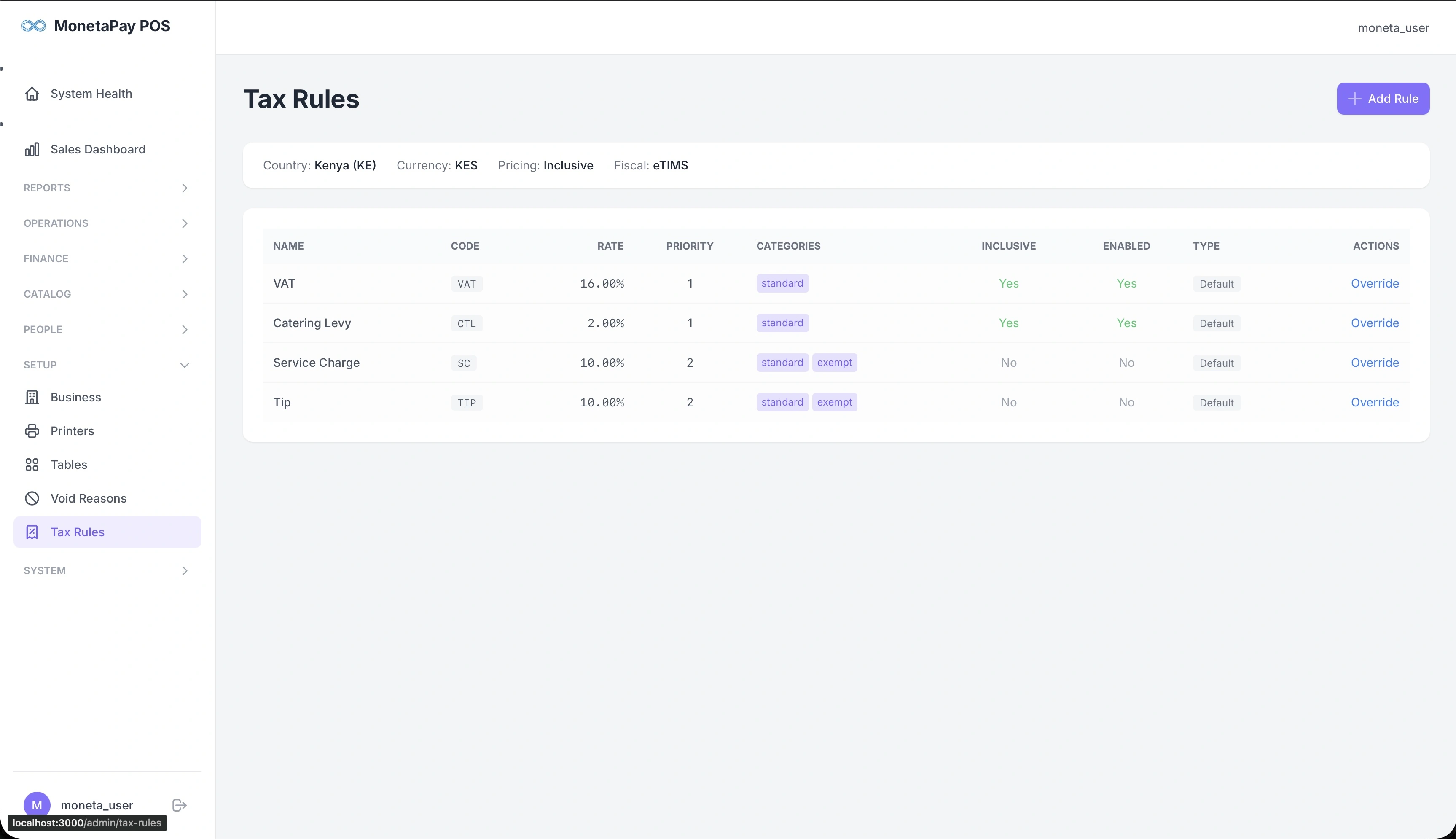
Overview
Tax Rules define how taxes are calculated on orders. The system comes pre-configured with standard Kenyan tax rules, but you can customize rates and add new rules for your specific requirements.
TIP
This page is available to Admin users only.
What You'll See
Country & Currency Info
A header bar showing your configured tax jurisdiction:
- Country — e.g., Kenya (KE)
- Currency — e.g., KES
- Pricing — Inclusive (tax included in menu prices) or Exclusive
- Fiscal — the fiscal compliance system for your country
Tax Rules Table
| Column | Description |
|---|---|
| Name | Tax name (e.g., VAT, Catering Levy, Service Charge, Tip) |
| Code | Short code used on receipts (e.g., VAT, CTL, SC, TIP) |
| Rate | Percentage rate (e.g., 16.00%) |
| Priority | Calculation order — priority 1 rules are calculated first |
| Categories | Which menu categories this rule applies to (e.g., standard, exempt) |
| Inclusive | Whether the tax is included in the menu price (Yes/No) |
| Enabled | Whether the rule is active (Yes/No) |
| Type | Default (system-defined) or Custom |
| Actions | Override to customize rates |
Overriding Rules
Click Override to customize a tax rule for your business. You can change the rate, enable/disable it, or modify which categories it applies to.
WARNING
Tax rule changes affect all future orders immediately. Ensure any changes comply with your local tax authority requirements. Incorrect tax calculations can result in fiscal compliance issues.