
Order Items
View individual line items across all orders — search by menu item or order ID.
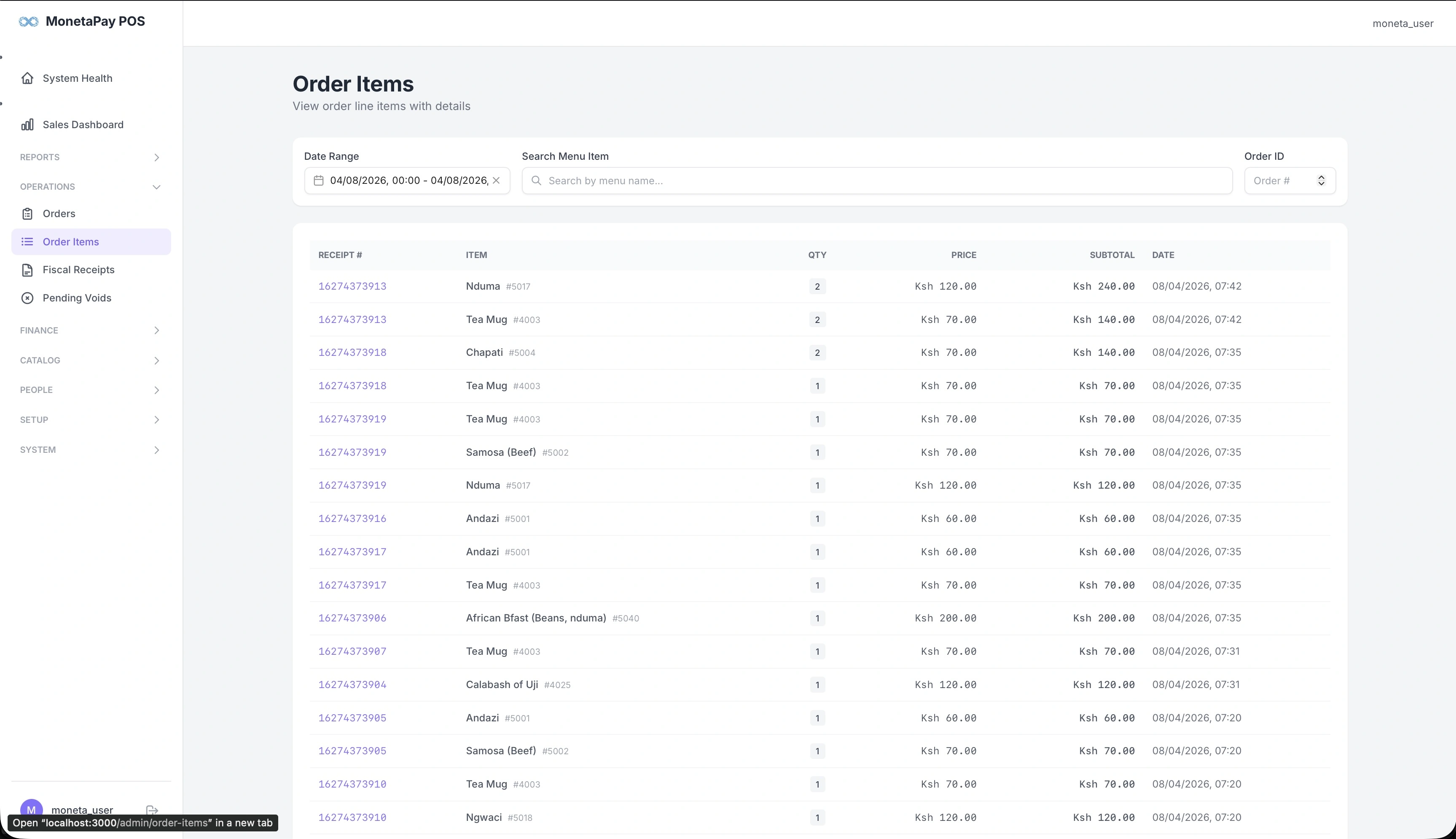
Overview
While the Orders page shows complete orders, the Order Items page breaks everything down to individual line items. Each row is a single item from a single order, making it easy to search across all orders for a specific menu item.
Use this page to:
- Find all orders containing a specific menu item
- Check pricing consistency across orders
- Investigate an item by its order ID
- Audit quantities and subtotals at the line-item level
What You'll See
Filters
| Filter | Description |
|---|---|
| Date Range | Select the time period |
| Search Menu Item | Find orders containing a specific item name |
| Order ID | Jump to items from a specific order |
Order Items Table
| Column | Description |
|---|---|
| Receipt # | Links back to the parent order |
| Item | Menu item name with item code |
| Qty | Quantity ordered |
| Price | Unit price |
| Subtotal | Line total (qty × price) |
| Date | When the order was placed |
Each receipt number is a clickable link that takes you to the full order detail.