
Fiscal Receipts
View signed fiscal receipts, submission status, and signing latency.
Overview
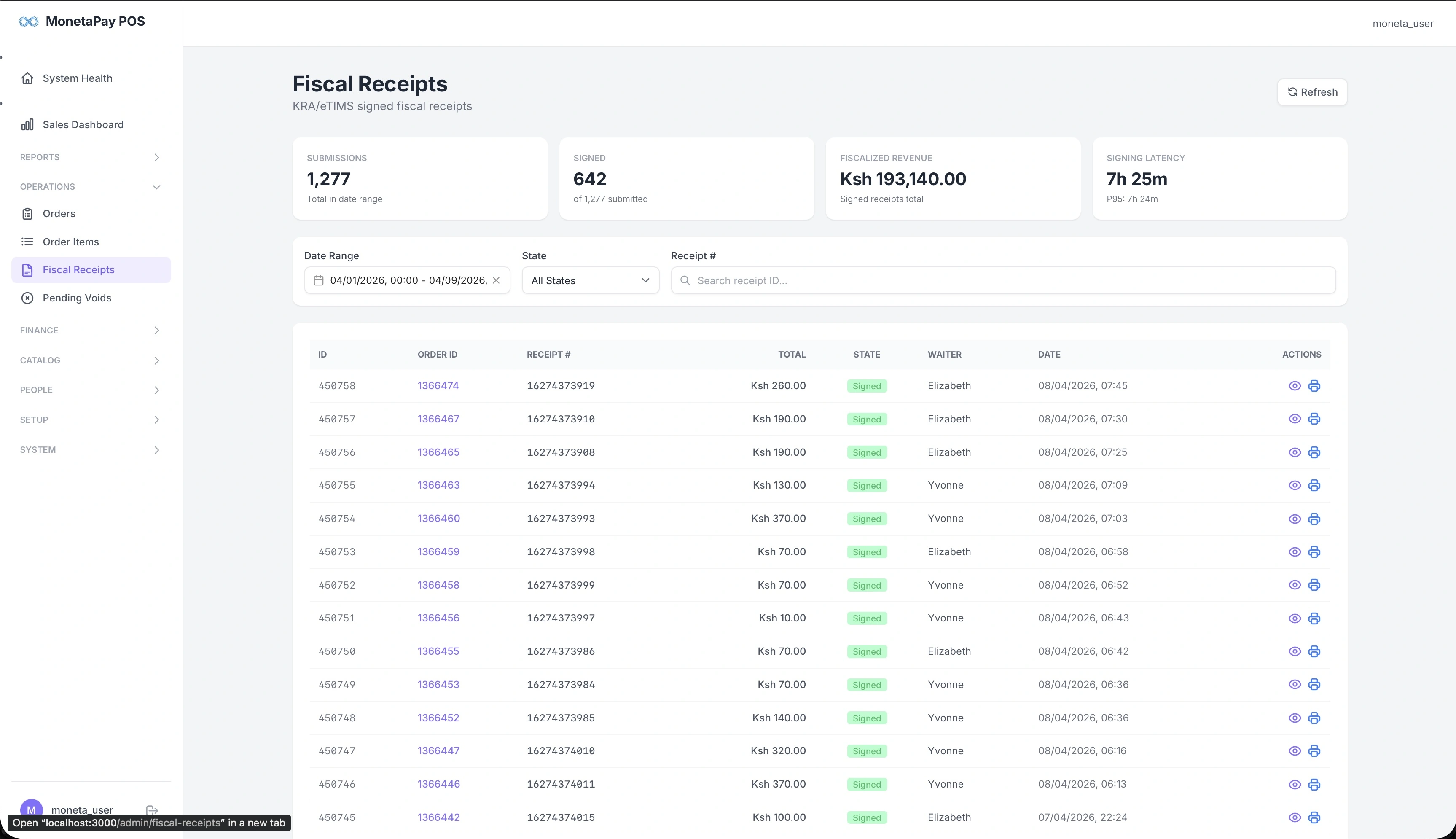
This page shows all fiscal receipts that have been submitted to your country's tax authority. Each receipt is digitally signed and includes a unique tax authority reference number.
Use this page to:
- Verify that orders are being submitted to the tax authority
- Check signing latency and identify delays
- Look up a specific fiscal receipt by receipt number
- View the full signed receipt content
- Reprint fiscal receipts for customers
TIP
This page is available to Admin users only. Requires the ESD / Fiscal compliance feature to be licensed.
What You'll See
Summary Cards
| Card | What It Shows |
|---|---|
| Submissions | Total fiscal submissions in the date range |
| Signed | Successfully signed receipts (out of total submitted) |
| Fiscalized Revenue | Total revenue value of signed receipts |
| Signing Latency | Average time to get a signature back, with p95 (95th percentile) shown |
Filters
| Filter | Description |
|---|---|
| Date Range | Select the time period |
| State | Filter by All States, Signed, Pending, or Failed |
| Receipt # | Search for a specific receipt |
Fiscal Receipts Table
| Column | Description |
|---|---|
| ID | Internal fiscal receipt ID |
| Order ID | Link to the original order |
| Receipt # | POS receipt number |
| Total | Order total |
| State | Signed (green), Pending (yellow), or Failed (red) |
| Waiter | Who took the order |
| Date | Submission timestamp |
| Actions | View receipt content, download, or reprint |
Fiscal Receipt Detail
Click any receipt to view its full signed content:
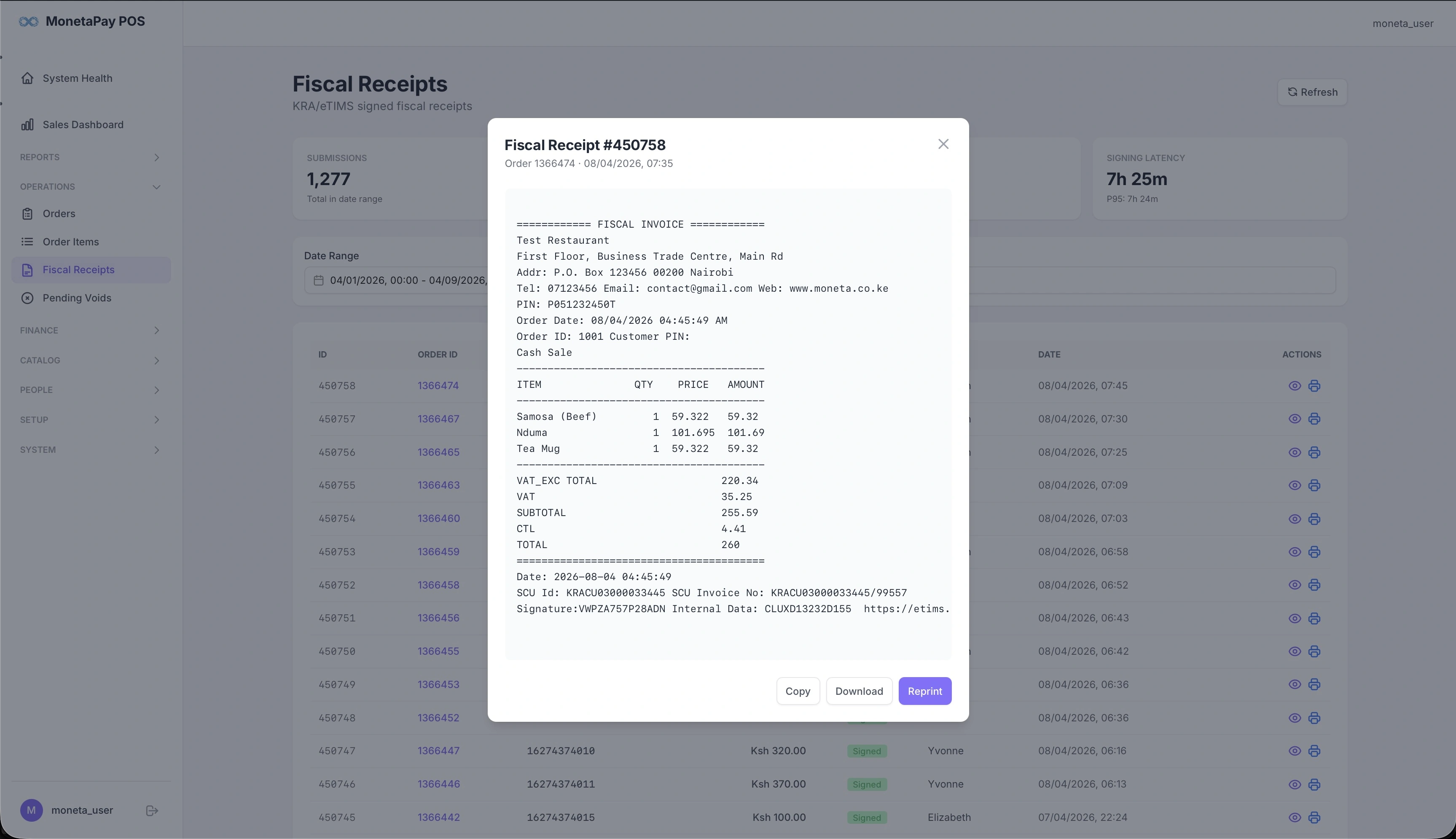
The detail view shows the complete fiscal invoice as it was submitted to the tax authority, including:
- Business details (name, address, PIN)
- Line items with quantities and prices
- Tax breakdown (VAT, CTL)
- Digital signature and verification URL
- Actions to Copy, Download, or Reprint the receipt