
Menu Items
Add, edit, and manage your restaurant's menu — items, prices, VAT, and status.
Overview
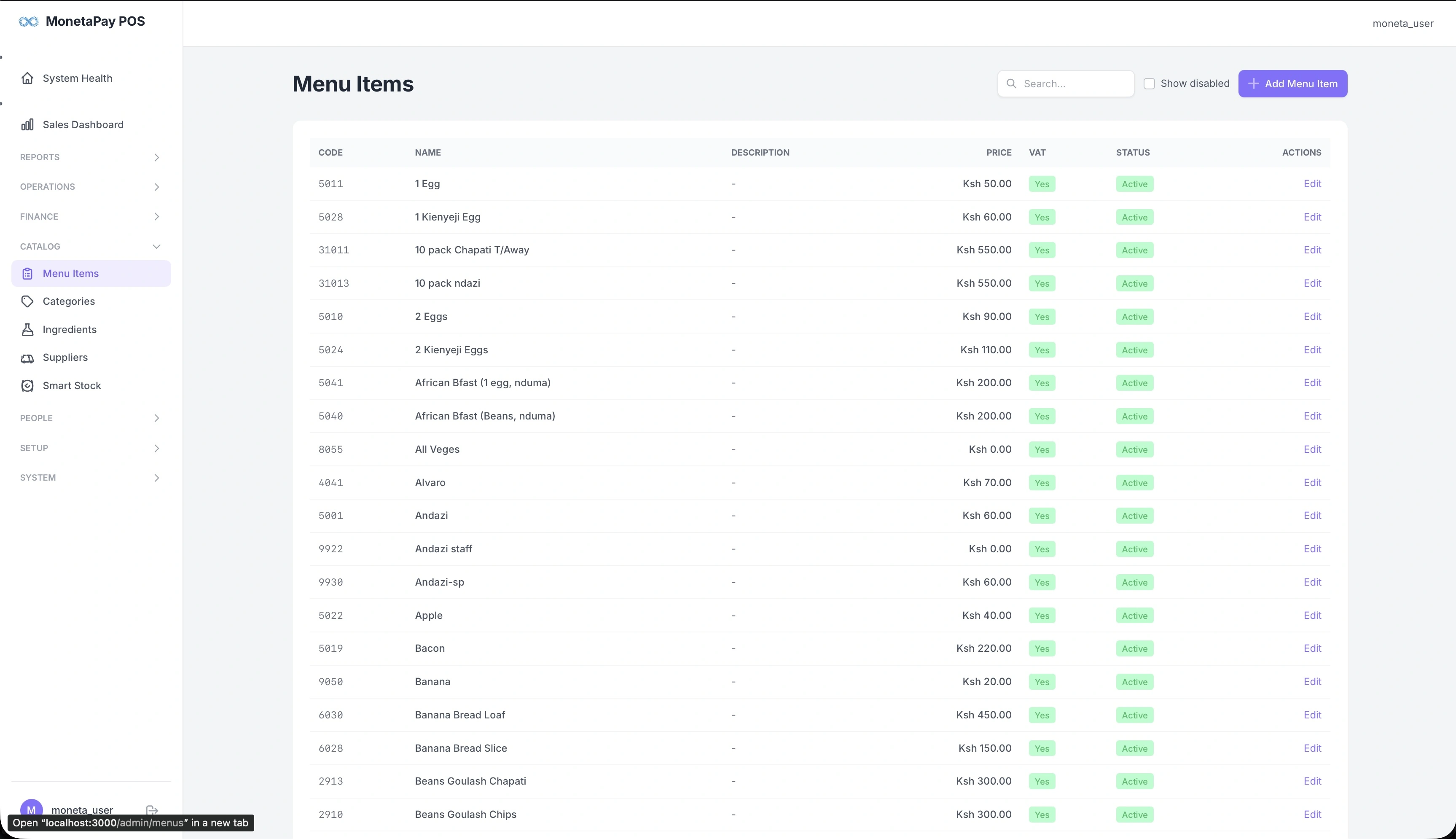
This is where you manage your full menu. Every item that can be ordered through the POS is listed here with its code, name, price, VAT status, and whether it's currently active.
Use this page to:
- Add new menu items
- Update prices
- Enable or disable items (without deleting them)
- Search for items by name
- View disabled items that are no longer on the active menu
What You'll See
Search & Filters
- Search box — find items by name
- Show disabled — toggle to include deactivated items in the list
Menu Items Table
| Column | Description |
|---|---|
| Code | Unique item code used by the POS |
| Name | Menu item name |
| Description | Optional item description |
| Price | Selling price in KES |
| VAT | Whether VAT applies (Yes/No) |
| Status | Active (green) or Disabled (red) |
| Actions | Edit the item |
Adding / Editing Items
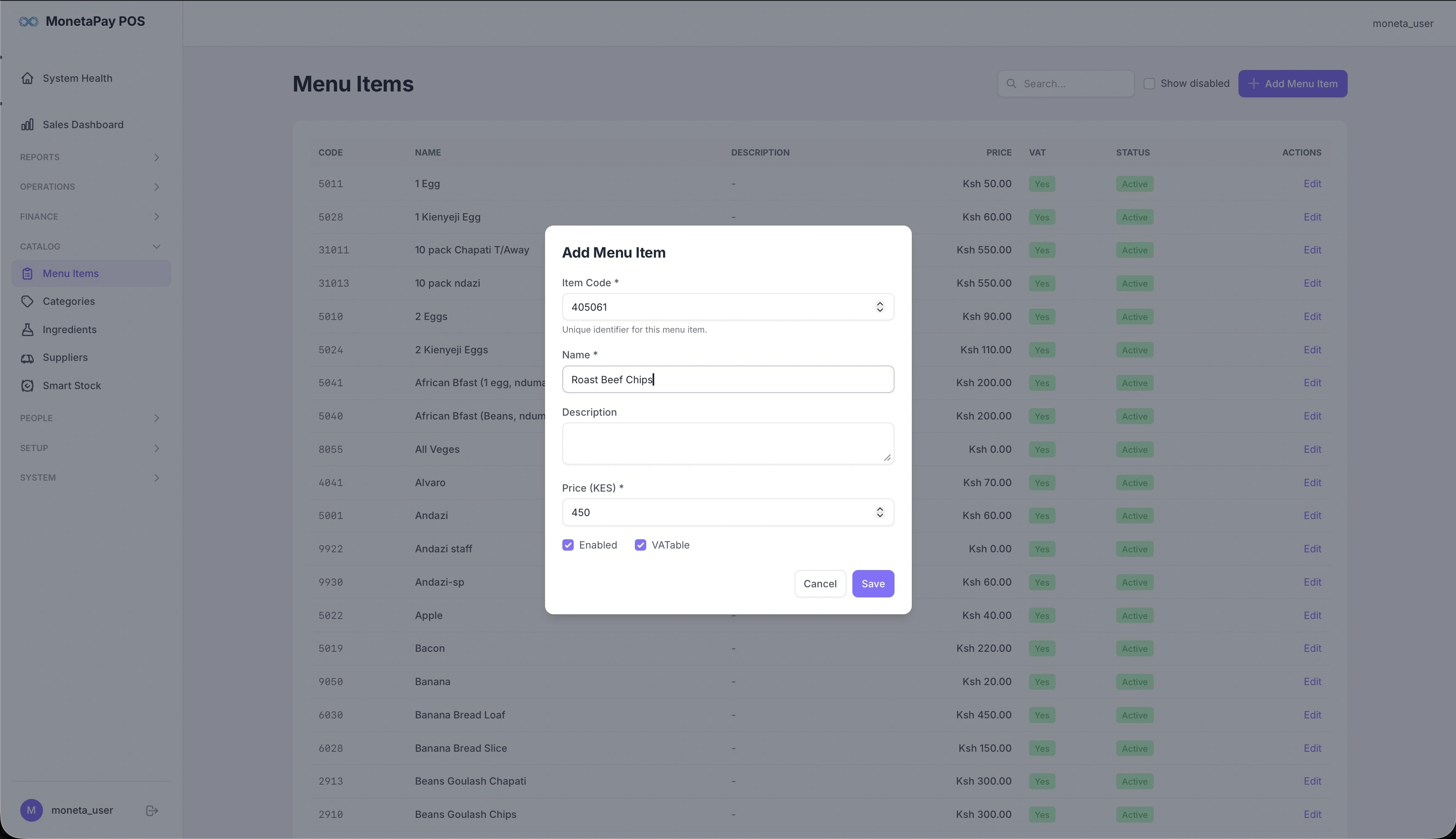
Click + Add Menu Item or Edit on any existing item to open the item form:
| Field | Description |
|---|---|
| Item Code | Unique identifier — auto-generated or manually set |
| Name | The item name as it appears on receipts and the POS |
| Description | Optional description |
| Price (KES) | Selling price |
| Enabled | Whether the item appears on the POS menu |
| VATtable | Whether VAT is calculated on this item |
TIP
Disabling an item removes it from the POS ordering screen but keeps it in the system for historical reporting. Use this instead of deleting items that are temporarily or permanently off the menu.