
Business Settings
Configure your restaurant's name, contact details, tax settings, and printer options.
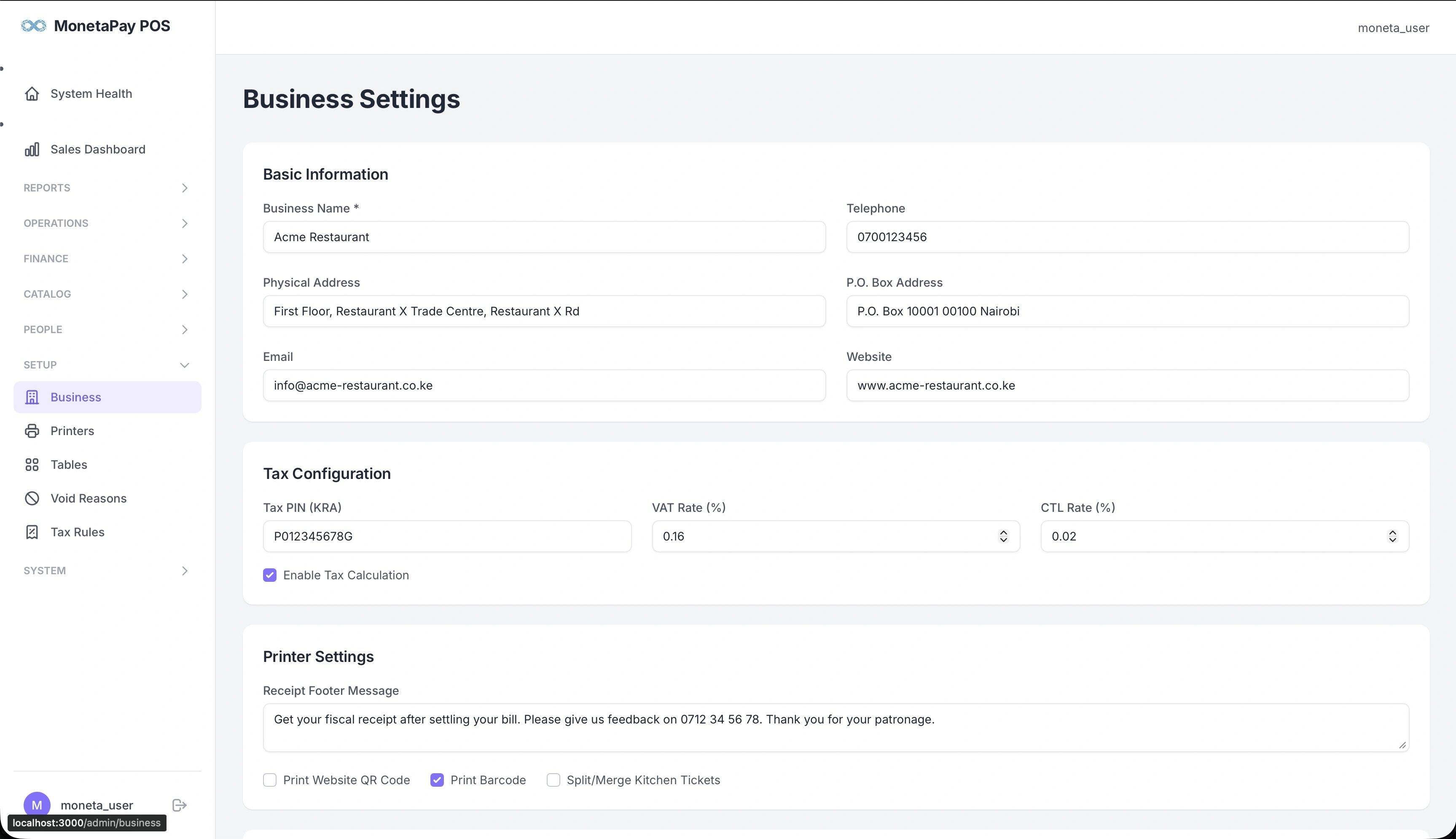
Overview
Business Settings is where you configure the core information about your restaurant. This information appears on printed receipts, fiscal submissions, and throughout the dashboard.
TIP
This page is available to Admin users only.
What You'll See
Basic Information
| Field | Description |
|---|---|
| Business Name | Your restaurant name — appears on all receipts |
| Telephone | Phone number shown on receipts |
| Physical Address | Street address for receipts and fiscal compliance |
| P.O. Box Address | Postal address |
| Business email | |
| Website | Business website URL |
Tax Configuration
| Field | Description |
|---|---|
| Tax PIN | Your tax authority PIN for fiscal compliance |
| VAT Rate (%) | VAT percentage (e.g., 0.16 for 16%) |
| CTL Rate (%) | Catering Levy rate (e.g., 0.02 for 2%) |
| Enable Tax Calculation | Toggle to enable/disable automatic tax calculation on orders |
WARNING
Changing the Tax PIN or tax rates affects all future orders and fiscal submissions. Ensure these match your tax authority registration exactly.
Printer Settings
| Field | Description |
|---|---|
| Receipt Footer Message | Custom text printed at the bottom of every receipt (e.g., feedback request, phone number) |
| Print Website QR Code | Add a QR code linking to your website on receipts |
| Print Barcode | Add a barcode to receipts |
| Split/Merge Kitchen Tickets | Control how kitchen orders are grouped for printing |